Posts

Showing posts with the label Security Onion

Modern Honey Network - Extract Threat Intel
Image
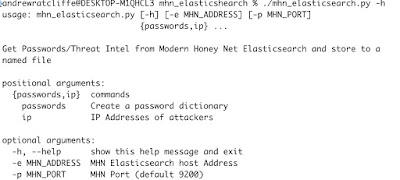
The Modern Honey Network is an application for the deploying and collecting data from Honey Pots. Honey Pots can be a very useful detective control but they can also be useful for collecting threat intelligence.  There is great introductory blog post on Lenny Zeltser’s blog .  I use a popular cloud service to deploy my honeypots on the Internet.  I use it collect various Threat Intelligence such as scanning IPs and source addresses that are doing password brute force attacks. I feed the IP addresses into tools like Security Onion and SOF-ELK . As MHN can write to Elasticsearch via logstash installed locally it’s easy to query and extract the data from there. I wrote a small python program to extract either unique IP Addresses or a unique password list that can be used for checking passwords against to make sure you don’t use ones that appear in the attackers dictionaries.  Once extracted, the unique IP addresses can be used as threat intelligence in your SIEM or you could furt...

Detecting ssh tunnelling through a proxy server

Image
Why tunnel SSH through a proxy server? An attacker could use this technique as an initial reverse connection or to enhance their capability once they have a foothold on a system. It allows an attacker to create an outbound connection using secure-shell (SSH) protocol utilising a proxy server to bypass firewall restrictions that would prevent native ssh port (TCP Port 22) reaching the Internet. Once an outbound connection via SSH is established a reverse tunnel can be created to provide the attacker access back into the environment using a graphical interface such as RDP or VNC. Tunnel out using a proxy server Setup the tunnel The Squid Proxy is configured to use the CONNECT method for HTTPS (SSL/TLS) only by default as it could not otherwise relay the encrypted protocol. The use of the CONNECT method is considered unsafe and generally the only port it would be configured for is 443 So one thing the attacher must do, is to configure the end point SSH server to listen on port 44...